 The Refiner
Refine Suno tracks. Studio audio quality.
Suno and Udio outputs sound compressed even when you export as WAV — the lo-fi is in the generated audio itself, not the file format. The Refiner upgrades the actual audio fidelity, restoring high-frequency detail and clarity. Drop a file, get back a release-ready WAV at 44.1 / 48 kHz.
Free monthly credits on signup. $9/mo for 16 credits, $29/mo for 30, $49/mo for 60. Spend them on any preset.
Hear the difference
Same track, two refinements. Headphones recommended.
Enhanced
FastEnhanced runs in seconds and is what we recommend for most tracks.
Refined with Enhanced (44.1 / 48 kHz WAV)
Flow Matching
DetailedFlow Matching takes about ten minutes and reconstructs the finest detail. Costs 3 credits on Normal quality or 4 on High.
Refined with Flow Matching (44.1 / 48 kHz WAV)
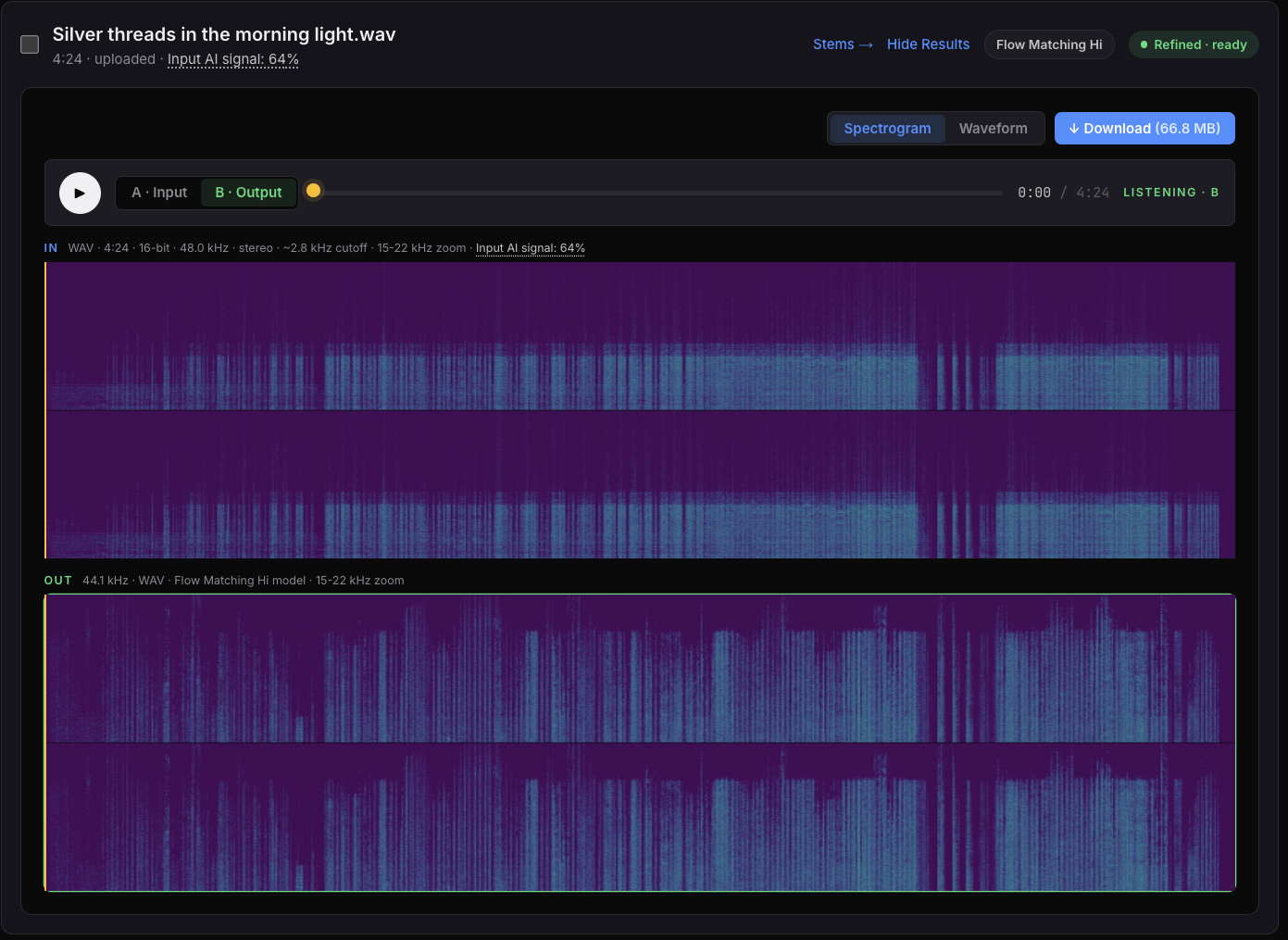
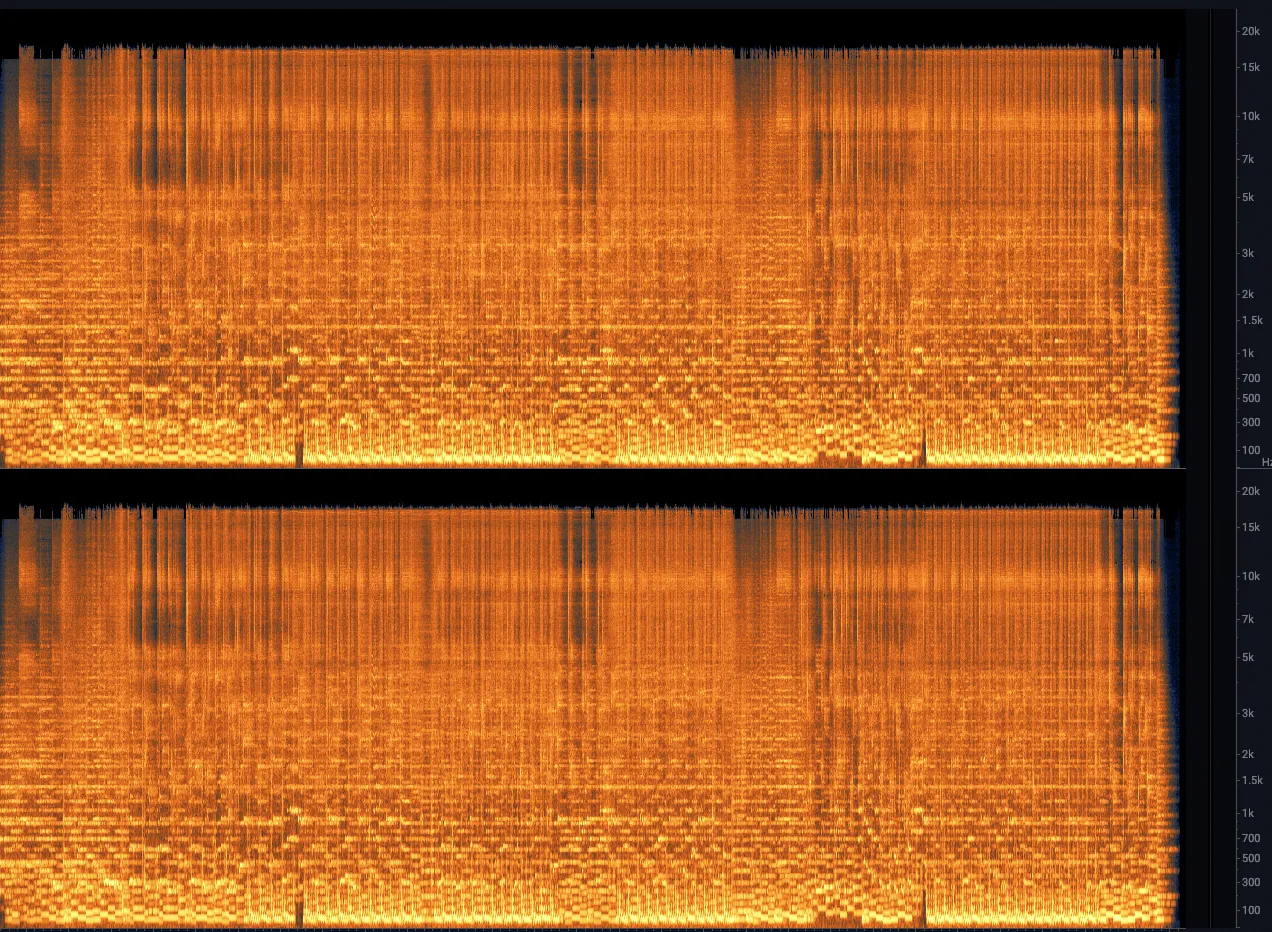
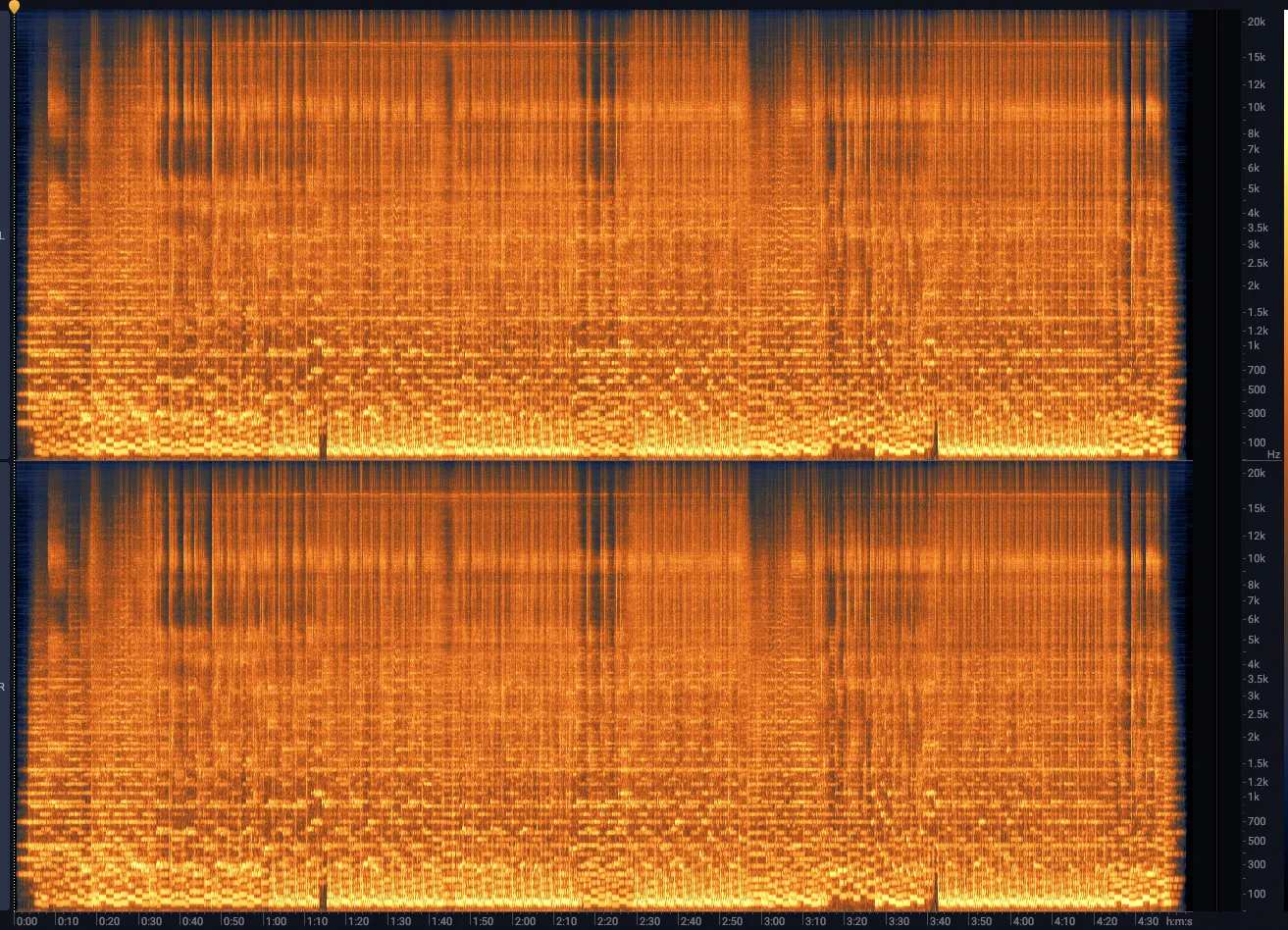
The "before" tracks cut off around 11 kHz — that's where the lossy compression threw away high-frequency detail. Enhanced restores most of it almost instantly. Flow Matching rebuilds it more carefully — the cost is time, the gain is finer detail in cymbals, breath, and reverb tails.
See the difference
Spectrograms of the passage above. Brighter horizontal bands at the top mean more high-frequency content recovered.
How it works
Drop your track
mp3, wav, or flac, up to 8 minutes. Stereo or mono.
Pick a refinement
Three models, each tuned for different damage: Enhanced (recommended default), Restoration (stronger on heavily-degraded mp3s), and Flow Matching (Pro) for the finest detail.
Get a clean WAV back
44.1 / 48 kHz, ready to master or upload. We keep your file for 7 days, then delete it.
Built for AI-generated music, end to end
AI tracks have a specific shape of damage: high-frequency rolloff, compression artifacts, sometimes detectable temporal patterns from the generation process. Generic audio restorers weren't built for this. We were.
Split any track into stems
Isolated vocals, drums, bass, and everything else — or speech vs. background for spoken-word audio. Drop a track and pick an engine; get back one WAV per stem plus a ZIP for one-click download.
Demucs
Vocals, drums, bass, and everything else. Quick and solid for everyday remixing or DAW work.
Melband
Mel-Band RoFormer — a newer transformer that pulls stems apart with less bleed. Takes longer in exchange for cleaner isolation.
Voice Cleanup
Speech on one stem, everything else on the other. Built for podcasts, interviews, and voice notes.
Pro feature · 3 credits per split, any engine · Free users get one lifetime trial split to try it.
Pricing
Free to start. $9/mo when you need more.
Plans
Credits are credits — costs vary per preset, not per plan.
- Enhanced model✓
- Restoration model✓
- Flow Matching model✓
- AI detection✓
- AI artifact removal✗
- Stem separation1 lifetime trial
- Bit depth24-bit
- Rate44.1 kHz
- SupportEmail
- Enhanced model✓
- Restoration model✓
- Flow Matching model✓
- AI detection✓
- AI artifact removal✗
- Stem separation✗
- Bit depth24-bit
- Rate44.1 kHz
- SupportEmail
- Enhanced model✓
- Restoration model✓
- Flow Matching model✓
- AI detection✓
- AI artifact removal✓
- Stem separation✓
- Bit depth24 or 32-bit float
- Rate44.1 or 48 kHz
- SupportEmail
- Enhanced model✓
- Restoration model✓
- Flow Matching model✓
- AI detection✓
- AI artifact removal✓
- Stem separation✓
- Bit depth24 or 32-bit float
- Rate44.1 or 48 kHz
- SupportPriority email
Guides
Practical writing on getting AI-generated music release-ready.
Why Suno tracks sound compressed
The two layers of audio quality loss in a Suno export, and how refinement fixes both.
Enhanced vs Flow Matching
Which refinement preset to pick — the speed, cost, and fidelity trade-offs explained.
Releasing AI music
Format, loudness, and AI-disclosure checklist for Spotify, Apple Music, and the rest.
Frequently asked questions
Quick answers. Full guide on the help page.
- What is The Refiner?
- The Refiner is a web app that cleans up and upgrades audio tracks. It works on anything — AI-generated music from Suno or Udio, demos, podcast recordings, old mp3s, live captures — drop in a lossy or low-fidelity file and get back a release-ready WAV with restored high-frequency detail, better clarity, and a more polished sound.
- What's the difference between Enhanced and Flow Matching?
- Enhanced is the fast preset — it runs in seconds and restores most of the high-frequency detail that lossy compression discards. It's what we recommend for most tracks. Flow Matching takes about ten minutes and reconstructs the finest detail (cymbals, breath, reverb tails) using diffusion. Costs 3 credits on Normal quality or 4 on High.
- What audio formats can I upload?
- MP3 and WAV. Tracks can be up to 8 minutes long. Outputs are 44.1 or 48 kHz WAV at 24-bit (32-bit float is available on Pro and Studio for Flow Matching, useful if you're feeding the result back into a DAW for further mixing).
- How long does a refinement take?
- Enhanced typically completes in 10–30 seconds. Flow Matching takes around 6–12 minutes depending on quality setting and track length. You'll see live progress in the dashboard and can keep working while jobs run.
- Do I need a subscription?
- No. The free tier gives you a small number of credits each month to try the service. Paid plans (Hobby, Pro, Studio) and one-time credit packs are available if you need more.
- Can I split a track into stems?
- Yes — stem separation is a Pro feature. Drop a track on the Stems page and pick an engine: Demucs (fast 4-stem classic), Melband (newer transformer, cleaner separation), or Voice Cleanup (speech vs. background, great for podcasts and interviews). Output is one WAV per stem plus a ZIP of all of them. 3 credits per split. Free users get one lifetime trial split to try it.
Used by indie musicians and podcasters
Preparing AI-assisted tracks for release.
Start free